Word Bliss1.174.0
Publisher Description
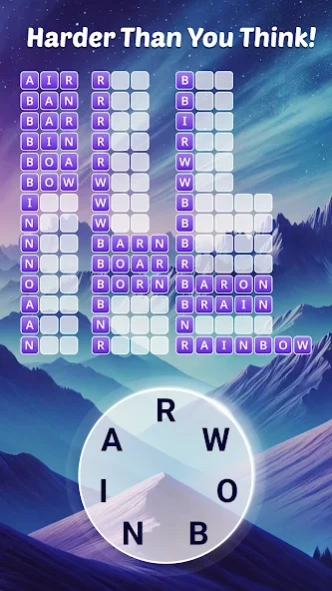



A thoughtfully designed word game, full of fun and brainy challenges!
Boost Your Brain in Just 10 Minutes a Day with Word Tour! Word Tour is the perfect offline word game to train your mind and relax at the same time. Swipe letters, discover hidden words, and grow your vocabulary with every level! No logical connections, no easy hints—only your skills and word length clues to guide you. Each level challenges you to find around 15 hidden words. As you progress, puzzles get harder, sharpening your spelling and thinking skills while you unwind. Relax and recharge with beautiful, nature-inspired backgrounds and soothing music. Word Tour turns every puzzle into a calming adventure.
Word Tour Features:
➤ Challenging yet relaxing word puzzles
➤ Connect letters to form words and solve clever grids
➤ No Wi-Fi needed — play anytime, anywhere
➤ Over 6000 levels to explore
➤ Special rare-word levels for extra challenge
➤ No timers, no pressure — pure, peaceful fun
➤ Daily rewards to keep your journey exciting
➤ Beautiful, calming visuals and music to help you relax
Ready for your next word adventure? Download Word Tour now and enjoy brain-boosting puzzles anytime you want!
About Word Bliss
The company that develops Word Bliss is PlaySimple Games. The latest version released by its developer is 1.174.0.
To install Word Bliss on your Android device, just click the green Continue To App button above to start the installation process. The app is listed on our website since 2026-09-28 and was downloaded 2 times. We have already checked if the download link is safe, however for your own protection we recommend that you scan the downloaded app with your antivirus. Your antivirus may detect the Word Bliss as malware as malware if the download link to in.WordSearch.WordBliss is broken.
How to install Word Bliss on your Android device:
- Click on the Continue To App button on our website. This will redirect you to Google Play.
- Once the Word Bliss is shown in the Google Play listing of your Android device, you can start its download and installation. Tap on the Install button located below the search bar and to the right of the app icon.
- A pop-up window with the permissions required by Word Bliss will be shown. Click on Accept to continue the process.
- Word Bliss will be downloaded onto your device, displaying a progress. Once the download completes, the installation will start and you'll get a notification after the installation is finished.
Program Details
System requirements
Download information
Pricing
Version History
version 1.174.0
posted on 2026-09-28
- Feature upgrades
- Bug fixes and performance improvements
version 1.134.0
posted on 2026-02-23
Alert: Please update to the latest build to be eligible for video rewards!
version 1.100.0
posted on 2024-12-09
version 1.54.0
posted on 2022-04-06
- Introducing Blossom Rush - a great challenge for a blissful mind
- Also open a new Piggy Bank for great offers!
version 1.24.0
posted on 2020-05-20
- New chapters and puzzles
- Bug fixes and improvements
version 1.22.0
posted on 2020-04-17
Improvements and Bug fixes.
New Quests are added.
